Webflow vs WordPress: The Real Costs, Control, and Scalability Divide

The CMS Crossroads
In 2026, small and mid‑market businesses face a major choice when picking a content management system. Tools like Webflow promise simplicity, while open‑source heavyweights like WordPress deliver near‑limitless flexibility.
This decision goes far beyond how fast a site can launch. The real issues are long‑term control, scalability, and the true total cost of ownership (TCO).
According to Forbes Advisor (2025), professional business websites today cost between $3 000 and $15 000 to build depending on complexity and hosting. But the financial conversation doesn’t stop there. Post‑launch maintenance, scalability, and platform fees determine how sustainable your website investment truly is.
How Experience Shapes Perspective
At Digital Hive Labs, our team has built WordPress sites since version 3.0, launching and managing dozens of client projects over the years.
More recently, we began working with clients who came to us with existing Webflow websites. Six months of hands‑on exposure surfaced sharp contrasts.
WordPress’s open‑source model gives teams flexibility and transparency. Webflow, for all its polish, feels rigid once projects scale beyond a single marketing team.
The Total Cost of Ownership Myth
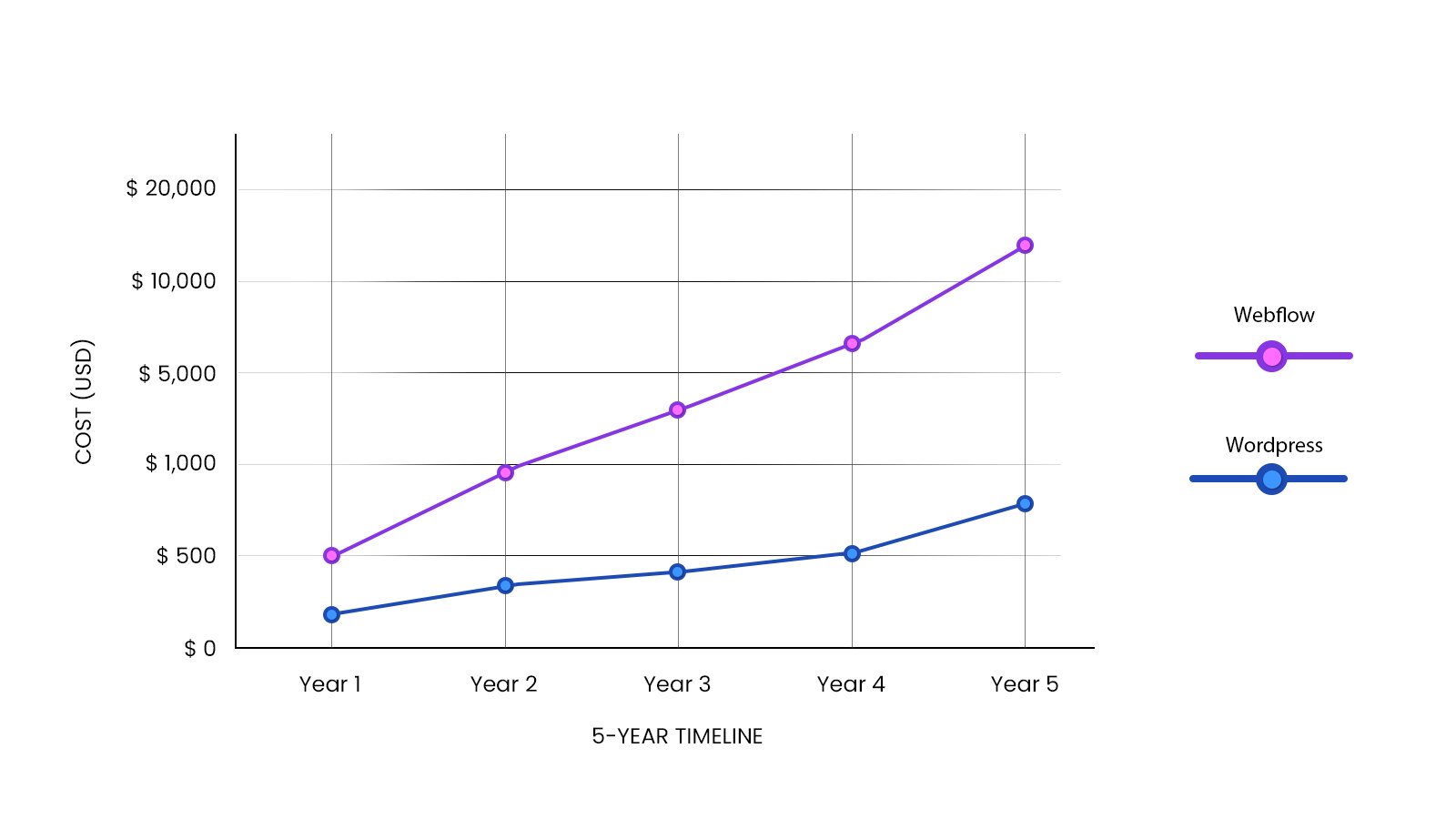
On paper, Webflow appears affordable. Business plans start around $23–$49 per month, bundling hosting, SSL, and CMS tools. But behind this simplicity lies a layered fee structure that scales sharply with user count and collaboration needs.
Hidden TCO Factors in Webflow
- Per‑user workspace and site fees
- Limited editor access unless on enterprise plans
- Higher pricing tiers for incremental publishing and branching
- Locked hosting that requires full rebuilds for migration
A mid‑market team quickly finds the “predictable cost” illusion fading. Real‑time collaboration, additional seats, or large CMS collections push budgets close to enterprise territory ($30 000+ annually).
WordPress, meanwhile, remains free at its core. Managed hosting on platforms like WP Engine or Pantheon generally runs $25–$75 per month. Add optional premium plugins or a developer retainer, and teams still control how funds are spent. Most importantly, you own your content and code outright.
Governance, Collaboration, and Scalability Limits
For mid‑size organizations, governance and workflow are where Webflow’s “user‑friendly” edge starts to dull.
Key Concerns
- Single‑designer bottleneck outside enterprise plans
- Full‑site publishing for every update
- Rollback resets reCAPTCHA and security keys
- Paid developer access for external partners
WordPress allows multiple contributors, granular roles, and Git‑based version control. Agencies can run staging environments without added cost. For long‑term scalability and partner collaboration, open access equals stability and speed.
What Webflow Gets Right
Despite its limits, Webflow deserves credit for several innovations.
- Design precision: The visual interface bridges designer and developer.
- Built‑in hosting and security: Automatic SSL, CDN, backups reduce setup time.
- Staging previews: Non‑technical users can review changes before launch.
- Strong community: Tutorials and forums support new users effectively.
For small teams with limited developer resources, these features work well. Yet as a business demands custom integrations or complex governance, friction appears fast.
Long‑Term Strategy and Client Impact
Your CMS choice shapes long‑term marketing agility.
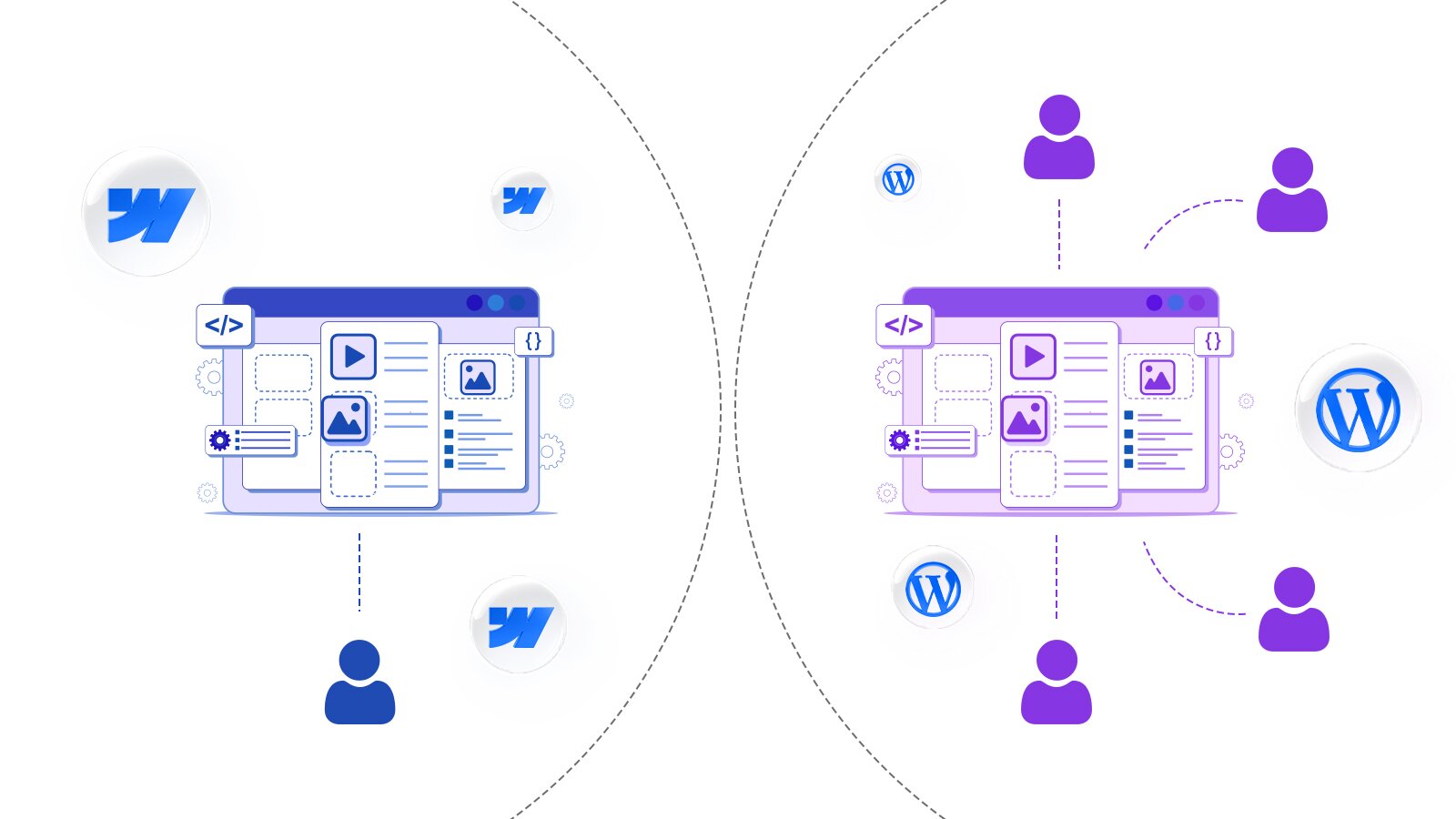
WordPress: Clients own every line of code and database entry. They can migrate and scale without full rebuilds.
Webflow: Locks content in proprietary structures. Dynamic data exports remain limited, forcing rebuilds if you leave the platform.
At Digital Hive Labs, we prioritize governance freedom and data control. WordPress and headless models like Builder.io or Next.js with Markdown offer predictability that finance and technology leaders value.
Why Businesses Still Choose Webflow
Companies continue choosing Webflow for valid short‑term reasons.
1. Modern UI and aesthetics.
2. Fast setup without technical support.
3. Maintenance‑free marketing message.
4. Immediate visual feedback for non‑technical teams.
But simplicity can create blind spots in long‑term cost and ownership. As brands scale, governance and freedom matter far more than pixel‑perfect launch speed.
Digital Hive Labs’ Verdict: Practical Recommendations
For mid‑market projects:
Choose WordPress when you need:
- Scalability and multi‑user control
- Predictable hosting costs
- Extensive plugin ecosystem
- Open governance and migration freedom
Use Webflow only when:
- You need rapid visual prototypes
- You run small marketing sites with few contributors
- You prioritize speed to market over control
For production environments or SEO‑driven operations, WordPress remains the long‑term investment choice.
Key Takeaways
- Webflow’s simplicity fades as teams expand.
- WordPress offers enduring control and portability.
- Proprietary systems increase TCO over time.
- Open‑source CMS strategies produce better ROI.
FAQs
WordPress leads with advanced plugins like Yoast and Rank Math plus server‑side access for technical tuning..
For teams under five and campaign sites under 25 pages that don’t require heavy customization.
Only through enterprise tiers costing around $30,000 a year or more.
Static HTML is exportable, but dynamic CMS data is not. Rebuilding is required for migration.
Not when properly managed. Security plugins and managed hosting match Webflow’s protections while retaining user control.
